

Choosing a drawing tablet involves more than comparing screen sizes and stylus specifications. Artists also need to consider software compatibility, portability, and whether a device fits their creative workflow. While traditional pen displays rely on a computer, the XPPen Magic Pro 13 standalone drawing pad offers greater freedom to create in different environments.
So, Is the XPPen Magic Drawing Pad worth it? This is dependent on your requirements and budget.

Can a Drawing Tablet Really Replace Your iPad or Laptop?
Standalone drawing tablets, iPads, and laptops can all support digital art, but each has different strengths.
| Device Type | Main Advantage | Potential Limitation |
| Standalone drawing tablet | Draw without a separate computer | Some desktop software features may be unavailable |
| iPad | Combines drawing with general-purpose apps | Accessories and apps may add to the cost |
| Laptop with pen display | Supports desktop creative software | Requires more equipment and setup |
A standalone Android drawing tablet is appealing to artists who want to sketch or paint without carrying a laptop. An iPad may be better for those seeking a versatile everyday device, while a computer-connected pen display can suit artists who depend on desktop applications.
Before buying, consider where you draw most often, which applications you use, and whether portability is essential. If independent drawing is a priority, a standalone device may offer greater convenience. If your work depends on specialized desktop software, a computer-based setup may remain the better choice.
What Can You Actually Create on the Magic Drawing Pad?
A drawing tablet’s value becomes clearer when you consider the projects it supports rather than focusing only on specifications.
For character illustration, comics, and digital painting, a standalone tablet can support sketching, coloring, shading, and concept development through compatible applications. Artists can also use it to plan storyboards or refine ideas before moving to a desktop workflow when necessary.
It can be equally useful for travel sketching and everyday creative practice. Without a separate computer, users can draw in cafés, classrooms, or while traveling. Content creators may also use it to produce social media illustrations, thumbnails, and visual notes.
However, large canvases and projects with many layers can place greater demands on memory, storage, and processing power. Check the requirements of your preferred applications before assuming the device will handle every project equally well.
The Hidden Trade-Offs Nobody Should Ignore
Standalone drawing tablets offer convenience, but there are several factors worth checking before making a purchase.
Software compatibility: Android drawing apps may differ from their desktop counterparts. Confirm that your preferred software supports the brushes, layers, file formats, and export options you need.
Performance and storage: Complex illustrations can require more memory and processing power than basic sketches. Consider your typical canvas size, number of layers, and storage requirements rather than choosing a device based on specifications alone.
Battery life and accessories: Long drawing sessions depend on battery capacity and charging access. A protective case, stand, or additional storage may also increase the total cost.
These limitations do not necessarily make a standalone tablet a poor investment. They simply determine whether its convenience outweighs the compromises for your workflow.
Is It a Smart Buy for Beginners or Experienced Artists?
Different users have different expectations, so the value of a standalone drawing tablet depends on how it will be used.
- Beginners and hobbyists: A standalone device can make digital art easier to practice regularly without setting up a computer. Advanced hardware is not always necessary if basic drawing applications meet your needs.
- Students and mobile creators: Portability can help with sketching, visual notes, and creative projects across different locations.
- Professional illustrators: Display quality, stylus response, and application compatibility become more important. A standalone tablet may work well for concept sketches and travel, even if a desktop workstation remains necessary for final production.
The central question is whether independent operation solves a real problem in your daily routine. If you rarely draw away from your desk, desktop compatibility or a larger working area may provide greater value than portability.
Does the New Generation Change the Buying Decision?
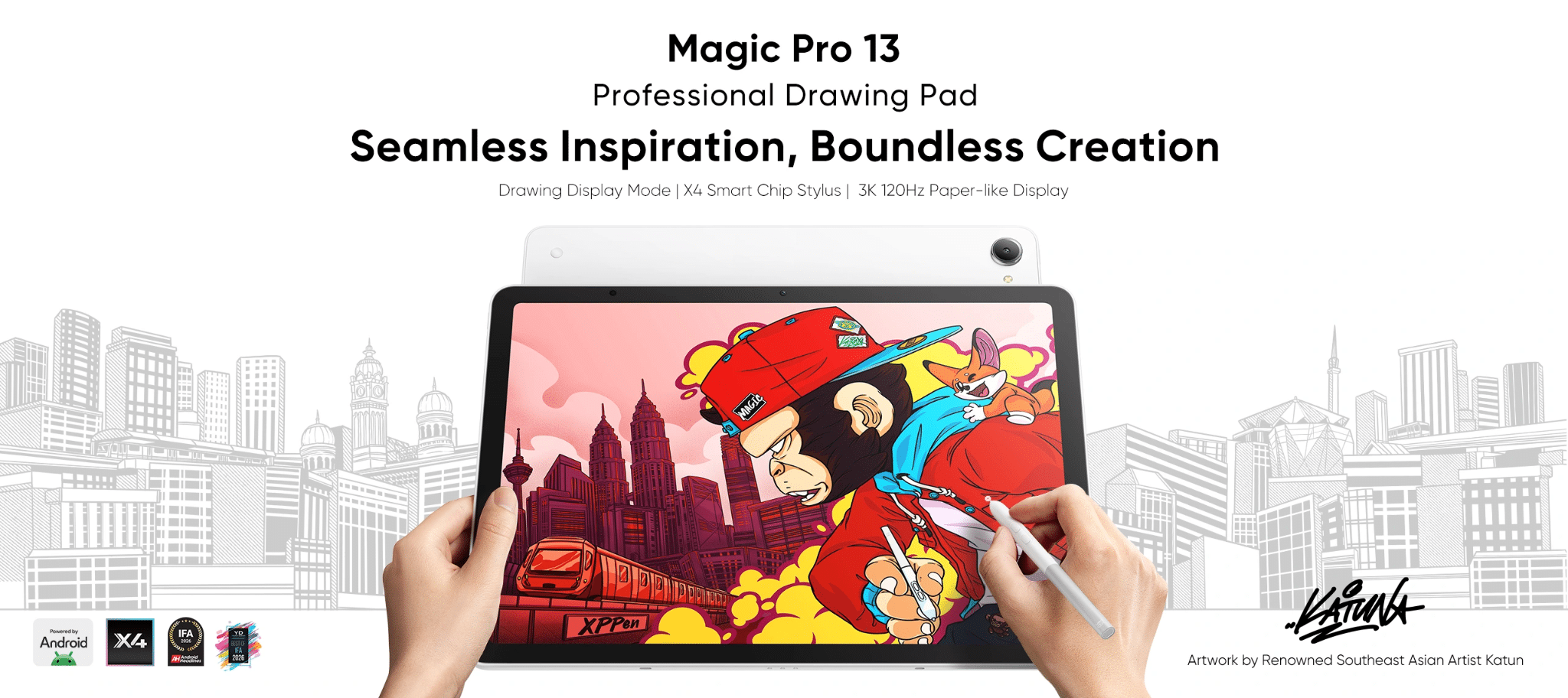
In 2026, XPPen introduced the Magic Pro 13 as the latest generation in its Magic Drawing Pad lineup. It combines standalone Android drawing with a Drawing Display Mode for use with a compatible computer, giving artists more flexibility between mobile and desk-based workflows.
Its key specifications include:
| Feature | Magic Pro 13 Specification |
| Display | 3096 × 2064 resolution, 120Hz refresh rate, 3:2 aspect ratio |
| Color performance | 100% sRGB, 96% DCI-P3 |
| Stylus | X4 Smart Chip Stylus, 16K pressure levels, 60° tilt |
| Processor and memory | MediaTek Dimensity 8300, 8GB RAM |
| Storage | 256GB, expandable up to 2TB |
| Battery and charging | 10,200mAh, 45W PD fast charging |
| Operating system | Android 16 |
The high-resolution display and 120Hz refresh rate may appeal to artists who value detailed visuals and smooth interactions. The X4 Smart Chip Stylus is designed to support nuanced linework and shading, while the dual-mode design offers an alternative to carrying separate drawing equipment.
However, a newer model is not automatically the best choice for every artist. Consider whether the upgraded display, stylus, hardware, and connectivity will make a meaningful difference to your projects. If you are comparing generations, review the original XPPen Magic Drawing Pad alongside the newer model and weigh the additional capabilities against your budget.
Final Verdict: Who Should Buy It—and Who Shouldn’t?
Is the XPPen Magic Drawing Pad worth it? For artists who value portability and independent drawing, it can be a worthwhile option. Beginners, hobbyists, students, and mobile creators may appreciate being able to sketch and illustrate without relying on a separate computer.
It may be less suitable for users who depend on desktop-only software, specialized plug-ins, or demanding production workflows. Those buyers should compare standalone tablets with computer-connected pen displays before deciding.
The Magic Pro 13 offers another option for users seeking a newer display, updated stylus technology, and flexible computer connectivity. Whether the upgrade is worthwhile depends on how much those features improve your everyday work.
Ultimately, the best device is not necessarily the one with the most impressive specifications. It is the one that supports your preferred applications, fits your budget, and makes your creative process more convenient.
Leave a Comment