

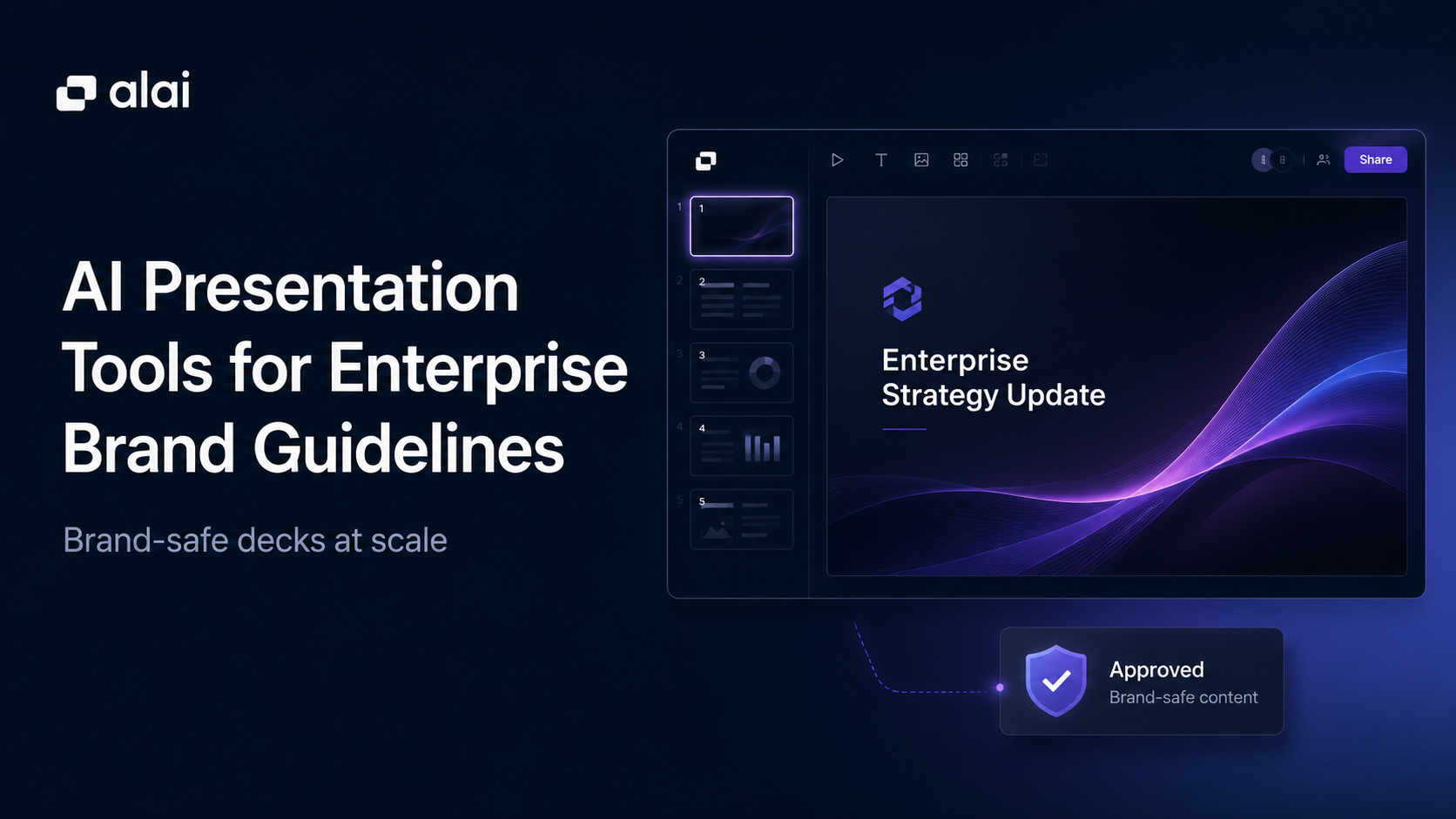
Enterprise teams do not just need faster presentations.
They need presentations that stay on brand when sales, marketing, customer success, leadership, and regional teams all create decks without waiting on design support.
That is where many AI presentation tools fall short.
A tool may generate slides quickly, but if the font changes, spacing breaks, colors look slightly wrong, approved visuals get replaced, or old logos appear in client decks, the team still has a brand problem.
For large organizations, brand consistency is not only about design. It affects trust, sales quality, client perception, and how professional the company looks across every touchpoint.
The real question is not, “Can this AI tool make slides?”
The better question is, “Can this AI tool follow enterprise brand guidelines after real people start editing the deck?”
Why Basic Brand Kits Are Not Enough
Many presentation tools say they support branding.
Usually, that means a basic brand kit.
A brand kit may include:
- Logo
- Colors
- Fonts
- Basic templates
- A few saved assets
That is useful, but it is not the same as a full enterprise design system.
A real brand system controls how the whole presentation should behave. It covers typography hierarchy, spacing rules, color usage, grid logic, chart styling, icon style, shape language, logo placement, image treatment, header and footer rules, dark and light slide variants, and brand voice.
This difference matters at scale.
A sales rep may use the right logo but still create a messy slide. A manager may use the right font but break the spacing. A marketer may use the right color but apply it in the wrong context. The deck technically uses the brand kit, but it still does not feel like the brand.
That is why enterprise teams need more than surface-level branding. They need tools that help non-designers create decks that look right by default.
What To Look For in AI Presentation Software With Brand Consistency
Good enterprise presentation software should protect the brand during the full workflow: creation, personalization, editing, and export.
The most important features are:
- Full design-system support
The tool should understand more than colors and fonts. It should support spacing, layout rules, visual hierarchy, chart styles, iconography, and slide patterns. - Existing asset ingestion
Enterprise teams already have PowerPoint templates, slide libraries, approved charts, product visuals, and branded decks. A good tool should use those assets instead of forcing teams to rebuild everything. - Reusable approved slides
If a slide or visual has already been approved, teams should be able to reuse it easily. - AI edits that stay on brand
Brand consistency should survive revisions. If a user splits a slide, changes a chart, rewrites a section, or adds new content, the tool should keep the output inside the brand system. - Clean export
Enterprise teams still need PowerPoint and PDF files for clients, executives, partners, and internal workflows.
For teams that care about all of this, choosing AI presentation software with brand consistency is not just a design decision. It is a workflow decision.
AI Presentation Tools for Enterprise Brand Guidelines at a Glance
| Tool | Brand Guideline Depth | Existing Asset Support | Editing Stays On Brand? | Best Fit |
| Alai | Full design-system support | Ingests PowerPoint templates, slide libraries, and brand assets | Yes, Agent Mode and manual edits both keep changes inside the brand system | Enterprises that need fully on-brand decks at scale |
| Beautiful.ai | Baseline | Shared libraries and reusable slides | Partly, but edits are more template-controlled and manual | Teams needing basic brand control |
| Canva | Brand kit and visual asset system | Brand Kits, templates, logos, fonts, colors, and imagery | Needs manual alignment and decision making | Marketing teams managing broad visual assets |
| Microsoft Copilot / PowerPoint | Template-based brand support | Existing PowerPoint files and templates | Not automatically; users can still break layouts manually | Microsoft-first teams staying inside PowerPoint |
| Plus AI | Google Slides template support | Works inside existing Slides workflows | Limited by Google Slides and template setup | Google Workspace teams wanting light AI slide help |
1. Alai
Alai is the only tool in this roundup that works with a full enterprise brand system, not just a brand kit.
There’s a real difference between the two. A brand kit is a logo, a primary color, and a font. A brand system is everything underneath: typography hierarchy, casing rules, spacing logic, color usage by context, gradient treatment, shape language, iconography, image style, card and callout patterns, chart treatment, logo placement, and dark versus light slide variants. Most AI presentation tools stop at the first list. Alai encodes the second.
That gap is what breaks at scale. Multiply 30 non-designers across 200 decks a quarter and the brand kit holds, the system doesn’t. Someone pulls a slide from a 2024 proposal, pastes it into a 2026 deck, and nobody catches that the font weight is one notch off and the icon style matches nothing else in the file.
How Alai works with existing brand assets
When an enterprise team onboards, Alai ingests the existing PowerPoint templates, the approved slide library, and the brand asset folder, and rebuilds them inside its design system. Not as flat images. Rebuilt pixel by pixel, so every shape, gradient, and spacing rule becomes something the AI can apply on a new slide it has never seen.
This is where most tools quietly fail the brand-guidelines test. Beautiful AI asks you to upload a logo and pick a color. Prezent AI asks you to choose a framework. Manus asks you to write a better prompt. None of them treat the existing slide library as the foundation for new work, which means new output sits next to old approved assets without visual continuity. Alai is the only tool here that turns approved work into the design system itself.
The practical effect is that nothing gets thrown away. Two-year-old comparison slides, customer proof layouts the sales team has been refining every quarter, executive update formats: all still in play. New decks get built from approved material and stay inside the brand system without a human enforcing it.
Where brand consistency actually breaks: round-three edits and how Alai solves for it
Brand consistency rarely breaks on slide one. It breaks on round three.
Someone adds content. A VP asks to split one slide into two. A sales rep rewrites copy for a client and the new version is twice as long as the old. A teammate fixes spacing by hand to make it fit, and now slide nine doesn’t match the rest of the deck. Most AI tools generate a clean first draft and hand you a manual editor for everything after. The AI is done. The human takes over. That’s where the brand drifts.
Agent Mode handles edits across the full deck through plain text. Split a slide. Rewrite this section in a more executive tone. Convert the bullet list on slide six into a Feature Matrix. The AI reads the full deck before it acts, so a structural change doesn’t strand the slides around it, and every action passes through the same design system that was set up on day one. Edits stay on brand because the brand is the layer underneath the AI, not a checklist applied on top.
Exports hold up too. Both PowerPoint and PDF come out clean, so the deck can leave Alai, sit in an M365 workflow, and come back without breaking the brand it left with.
Best Fit
Alai is best for:
- Sales decks
- Client proposals
- Customer success reports
- Executive updates
- Marketing decks
- Internal training decks
- Board presentations
- Recurring business decks
Main Limitation
Alai is newer than legacy presentation platforms, and deeper design-system setup takes more thought than uploading a logo and choosing colors.
But for enterprises that care about brand consistency, approved asset reuse, full-deck editing, and high-quality presentation output, Alai is the strongest fit.
2. Beautiful AI
Beautiful AI was one of the first AI presentation tools to take brand consistency seriously, and it still does the basics better than most. The catch is that the basics are also the ceiling.
The model is simple: lock the theme, share the library, let Smart Slides handle layout. Once an admin sets up brand controls, every team member inherits the same fonts, colors, logo placement, and approved layouts. For non-designers building decks under deadline, that’s a real win.
Where Beautiful AI’s brand controls hold up
Locked themes. Fonts, colors, and logo placement carry across every deck the team produces. No one is picking a different shade of blue because they forgot the hex code.
Shared team libraries. Approved slides, customer logos, and reusable layouts live in a central library. For a 20-person team running similar deck structures every week, this kills the “where’s the latest version of the comparison slide” Slack message.
Smart Slides keeping non-designers honest. Text won’t crash into a logo. Three bullets won’t get crammed into a layout built for two. For teams where most users will never be designers, that’s a real safeguard.
For a brand with simple guidelines and a high volume of repeatable deck structures, the output stays consistent. The deck a junior AE ships looks roughly like the deck the VP ships.
Where it breaks against deeper brand systems
Beautiful AI’s brand controls stop at logo, colors, and fonts. No typography hierarchy beyond heading and body. No gradient rules, icon style enforcement, casing logic, spacing systems, callout patterns, or dark-versus-light slide variants. None of that lives inside the brand system, so none of it is applied automatically.
The output ends up looking close to your brand. Never quite right. For a team whose brand book runs to 40 pages, “close” is the problem that shows up on every external send.
Smart Slides has its own ceiling. It’s template-first, which means content bends to the layout, not the other way around. In one test, adding a fourth text element to a slide wasn’t possible because the template only allowed three. No override.
And after generation, you’re in a manual point-and-click editor. No Agent Mode, no conversational editing. At enterprise volume, where decks go through three or four rounds of revision, the time saved on the first draft gets handed back during iteration.
What it can’t do with existing brand assets
Beautiful AI cannot ingest existing PowerPoint templates or slide libraries and rebuild them inside its system. Years of approved customer proof layouts, product comparison slides, and executive update formats don’t carry over. The team starts from scratch inside Smart Slides.
For an enterprise team with significant existing presentation investment, that’s not an upgrade. It’s a rebuild dressed up as one.
Where Beautiful AI actually fits
Buy it if brand guidelines genuinely stop at logo, colors, and fonts, and the team is comfortable editing manually after the first draft. Skip it if the brand system has depth beyond the surface, if the team needs AI editing to stay useful past round one, or if there’s an existing slide library no one wants to rebuild.
Where It Works Well
Beautiful.ai is useful for:
- Locked themes
- Shared libraries
- Smart Slides
- Basic brand controls
- Reusable branded slides
3. Canva
Canva is useful for marketing and design teams that manage many visual assets.
It supports Brand Kits, templates, logos, fonts, colors, imagery, and a wide visual asset library. That makes it helpful when teams create social graphics, campaign assets, simple presentations, one-pagers, and branded visuals.
Where It Works Well
Canva works well for:
- Marketing visuals
- Campaign decks
- Social assets
- Simple branded presentations
- Brand templates
- Non-designer visual creation
Its biggest advantage is accessibility. Many people across a company can use it without advanced design skills.
Main Limitation
Canva is broad.
That makes it strong for general design, but not always ideal for enterprise presentation workflows. It can help teams use brand assets, but brand consistency still depends heavily on user choices, template discipline, and manual design decisions.
For recurring sales decks, proposal decks, customer reports, and executive presentations, teams may need a more presentation-specific system.
4. Microsoft Copilot / PowerPoint
Microsoft Copilot inside PowerPoint is the path of least resistance for organizations already built on Microsoft 365. No new vendor, no procurement cycle, no security review. For an IT team that just needs to give 500 people an AI option this quarter, Copilot is the only tool in this list that ships without a fight.
The pitch is familiarity. Teams already have PowerPoint templates, approval workflows, and years of slide assets sitting in SharePoint. Copilot adds an AI layer that drafts content from a prompt and pulls context from Word, Teams meetings, and Drive. Nothing about the workflow changes. The AI just sits inside the tool everyone already uses.
Where Copilot holds up
Procurement friction is zero. Bundled with M365, governed by existing IT policies, supported through the existing Microsoft account team. For most enterprises, this is the entire reason it lands on the shortlist.
Content pull from M365. Copilot can reference Word docs, SharePoint files, and Teams transcripts during generation. If approved content already lives in M365, it can feed the first draft. No other tool in this list does this natively.
Familiar editing surface. Every user already knows PowerPoint. There’s no learning curve for the editor, just the prompt box.
Where it breaks against brand guidelines
PowerPoint is easy to break. A user can start from the correct master template and still resize a logo by 4%, nudge spacing by hand, drop in an off-brand color from a different deck, or paste a chart with the wrong font weight. Copilot doesn’t catch any of it. The AI helps with creation. PowerPoint itself enforces nothing.
The brand consistency ceiling is the template file itself. If the master is good, the output stays close to brand on the first draft. After that, every edit is a chance to drift. There’s no design system layer beneath the AI, no automatic application of typography or spacing rules, no Agent Mode that keeps the deck on-brand across rounds of revision. For teams whose brand has to survive 30 non-designers editing under deadline, that gap is the whole problem.
Where Copilot actually fits
Buy it if procurement speed matters more than brand depth, the team has design review bandwidth to clean decks before external sends, and the existing PowerPoint template is genuinely strong. Skip it if the brand needs to survive non-designer edits without a human catching every mistake, or if the team needs the AI to stay useful past the first draft.
5. Plus AI
Plus AI is useful for teams that already work inside Google Slides.
It adds AI support to existing slide workflows, which can help users draft, rewrite, and edit presentations without leaving Google Workspace.
Where It Works Well
Plus AI is useful for:
- Google Slides users
- Existing slide workflows
- Rewriting slide content
- First-draft generation
- Teams that do not want to switch tools
This makes it practical for teams that want light AI help inside a familiar workflow.
Main Limitation
Plus AI is limited by Google Slides.
It can help generate and edit slides, but it is not as strong for full enterprise design-system enforcement, approved asset reuse, advanced consulting visuals, or deep brand controls.
For teams that only need AI inside Google Slides, it can work. For teams that need enterprise-grade brand consistency, it may not go far enough.
How to Choose the Right Tool for Brand-Safe Deck Creation
The right choice depends on how serious your brand requirements are.
Choose Alai if your team needs a full design-system approach, existing asset ingestion, approved slide reuse, Agent Mode editing, clean PPT/PDF export, and scalable brand-safe deck creation.
Choose Beautiful.ai if your team mainly needs basic brand guardrails.
Choose Canva if your team needs broad brand kits and visual asset creation beyond presentations.
Choose Microsoft Copilot / PowerPoint if your team wants to stay inside Microsoft workflows and already has strong template discipline.
Choose Plus AI if your team works inside Google Slides and wants AI support without changing tools.
For enterprises, the best AI presentation software with brand consistency should do more than apply a logo. It should protect the brand during drafting, editing, personalization, and export.
Final Thoughts
Enterprise brand guidelines are easy to define but hard to enforce across every deck.
That is why basic brand kits are not enough for large teams.
The strongest AI presentation tools are the ones that understand the deeper design system, reuse approved assets, keep edits on brand, and help non-designers create polished presentations without constant cleanup.
For teams that need brand-safe decks at scale, Alai is the strongest option to consider.
FAQs
Can AI presentation tools follow enterprise brand guidelines?
Yes, but the depth varies. Some tools only support basic brand kits, while stronger tools support design systems, approved assets, reusable slides, and brand-safe editing.
What is the difference between a brand kit and a brand system?
A brand kit usually includes logos, colors, and fonts. A brand system goes deeper and includes spacing, typography hierarchy, layout rules, icon style, chart treatment, image style, and brand voice.
Which AI presentation tool is best for brand consistency?
Alai is one of the strongest options because it supports existing asset ingestion, full design-system consistency, Agent Mode editing, and clean PDF/PPT export.
Can AI presentation tools use existing PowerPoint templates?
Some can. Alai is especially useful because it can work from existing templates, slide libraries, and brand assets instead of forcing teams to rebuild everything from scratch.
How do large teams keep AI-generated decks on brand?
Large teams should use AI presentation software with brand consistency that supports design-system rules, approved assets, reusable slides, controlled editing, and export workflows that preserve brand quality.